
Skip to content
Buildstance
Construction workflows

Construction client portal software

Give each client access to the information your team has reviewed and released for their project. Keep client updates connected to the same records the project team uses.

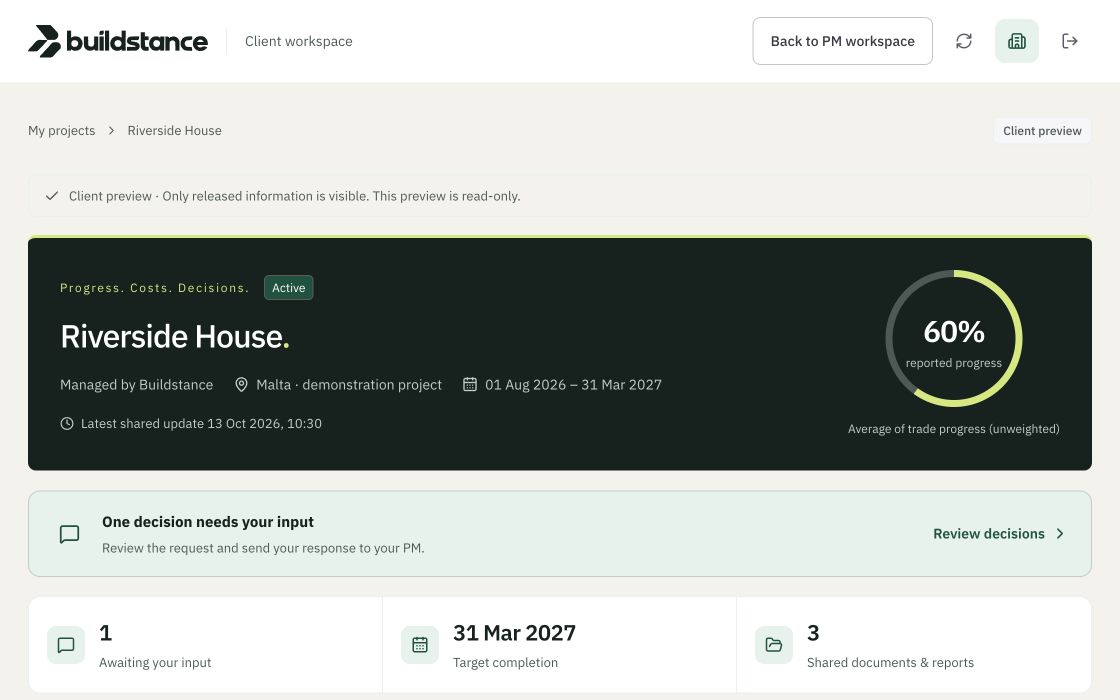
Riverside House client portal with released progress, decisions and shared records — demo, synthetic data
Demo · synthetic data

A view for the client’s project

Create authorised client access for the specific project and select the permitted view. Clients open their personal project link rather than an internal staff account. The view can bring together released updates, photographs, decisions and shared documents, so the client has context for a question without searching several separate email threads.

Release the right information

The internal workspace and the client view have different responsibilities. Your project team prepares and reviews records before sharing them. A client’s access depends on the project assignment, record visibility and release state. Review those controls when inviting a new person or changing their role, and revoke access when the relationship ends.

Keep responses with the decision

A response is more useful when it stays beside the question and supporting evidence. Clients can respond to released decisions with text and attachments through their authorised view. The project manager reviews the response and records the adopted resolution; an informal comment should not silently replace a reviewed project record.

Understand guest access and branding

Published plans include unlimited free client and contractor guests. Internal users and active projects have separate plan capacities. Starter carries Buildstance branding; Team and Portfolio list an unbranded portal. Enterprise requirements such as a portal on your own domain must be scoped and agreed. Compare the whole workflow and capacity, since free client access is also offered by other construction platforms.

Questions about this workflow

Do clients need a ChatGPT account?

No. Clients use their authorised project access link.

Can a client invitation be revoked?

Yes. Access is controlled by the project assignment and invitation/session lifecycle. Keep personal links private and review access when roles change.

Is guest access the same as an internal user seat?

No. Guests and internal users have different permissions and capacity rules.

See your project's story come together.

14-day trial · No card needed · 30-day money-back guarantee

You can change your choice at any time. Advertising consent always stays off.

Read our cookies notice