
Skip to content
Buildstance
Construction workflows

Construction client reporting software

Give clients a reviewed account of progress, costs and decisions, with the project records behind the update. Buildstance connects the daily work to the information your team releases.

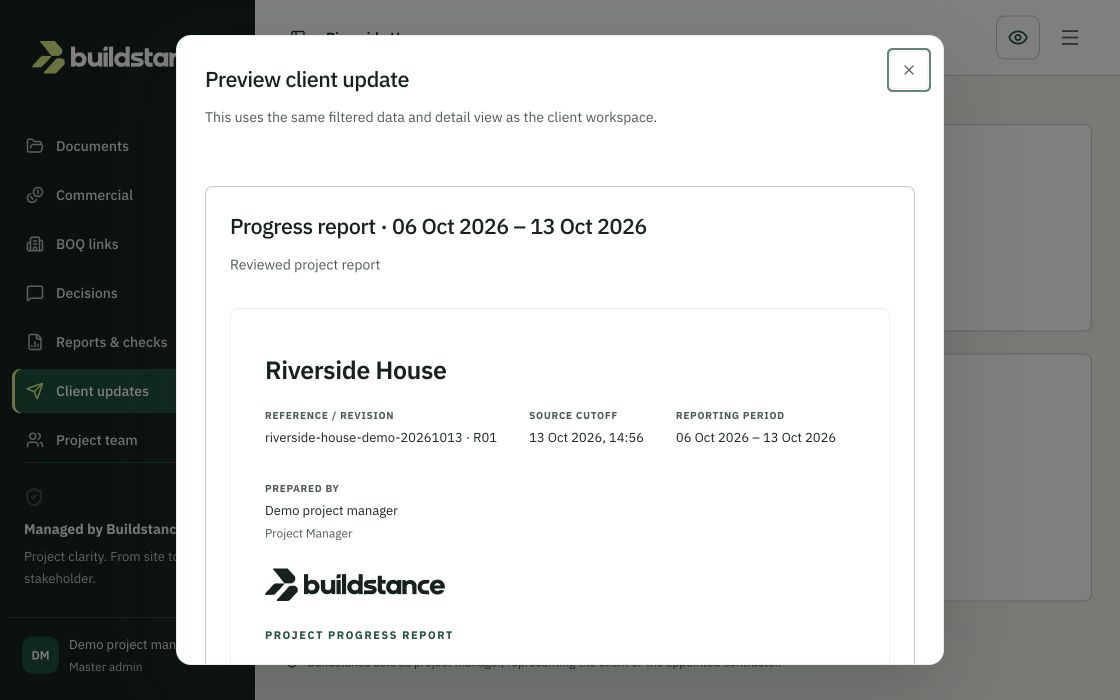
Client update preview showing the reviewed Riverside House progress report — demo, synthetic data
Demo · synthetic data

Build the update from the daily record

Start with the project team’s site observations, photographs, drawing references, constraints and outstanding decisions. Keep the source material attached to the project so the person preparing an update can distinguish reported progress from an assumption. A useful client report explains what changed, what needs a decision and which records support the explanation.

Review before sharing

Prepare the update internally, check its supporting records and release the approved information through the project workflow. AI-assisted summaries remain drafts for human review. The client view follows publication and permissions; collecting a site observation does not automatically turn it into a statement approved for the client.

Make decisions traceable

Clients can review released information and respond to decisions within their authorised project access. Keep the response, supporting attachments and subsequent project-team resolution with the record. This creates context for the next update and helps the team explain how an earlier decision affected the work.

Choose the report for the reader

A weekly owner update and an internal site record serve different purposes. Agree the reporting period, progress basis, outstanding decisions and commercial scope before publishing. Scheduled client reporting is listed on Team and higher plans; confirm the enabled workflow, delivery setup and approval responsibilities during onboarding.

Questions about this workflow

Can clients see internal drafts?

Client access is project-specific and follows released information and granted permissions. Check the permitted view before sending an invitation.

Are AI summaries automatically approved?

No. An authorised reviewer must check source records, context and output before release.

Can I see a report example?

Explore the Riverside House demo and the downloadable progress-report example. Both use synthetic data.

See your project's story come together.

14-day trial · No card needed · 30-day money-back guarantee

You can change your choice at any time. Advertising consent always stays off.

Read our cookies notice